
Make It Even Faster
The bottleneck is API rate limits
Everything Fastpotify shows you comes from Spotify’s Web API, and Spotify rate-limits that API per app: each app may make only so many requests a minute. Out of the box Fastpotify uses a public app it shares with other open-source players, so at busy times its requests queue behind everyone else’s. That is the spinner in the top bar, and pages that take a while to fill.
An app of your own has that limit to itself. Fastpotify cannot ship one for everyone (Spotify allows a new app only a handful of users), but making yours is free and takes five minutes.
What a personal app cannot do
Spotify keeps a personal app in Development Mode, and since February 2026 that mode reads only the playlists you own or collaborate on. Anyone else’s public playlist, and Spotify’s own editorial ones, show their name and cover but not their songs; artist top tracks and browsing are gone too. The shared app has none of these limits, so this is reach traded for speed. Switching back is one click: clear the field and press Switch now.
Make a Spotify app
- Open the Spotify developer dashboard and sign in with your Spotify account. Spotify asks that it be a Premium account.
- Click Create app. Any name and description will do; nobody else sees them.
-
Under Redirect URIs, add exactly:
http://127.0.0.1:8989/login - Tick Web API, accept the terms, and save.
- The app’s page shows its Client ID. Copy it.
Use it in Fastpotify
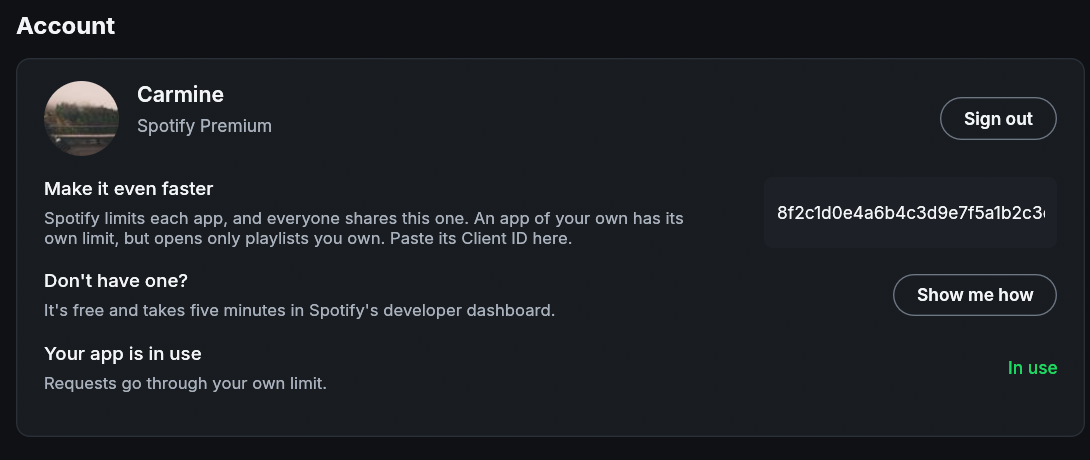
- Open Settings, find Make it even faster, and paste the Client ID.
- Click Switch now. Your browser opens Spotify’s sign-in for your app; approve it and you are back in Fastpotify, which now says Your app is in use.
That is all. Playing music on this computer is unaffected. To go back to the shared app, clear the field and click Switch now again.